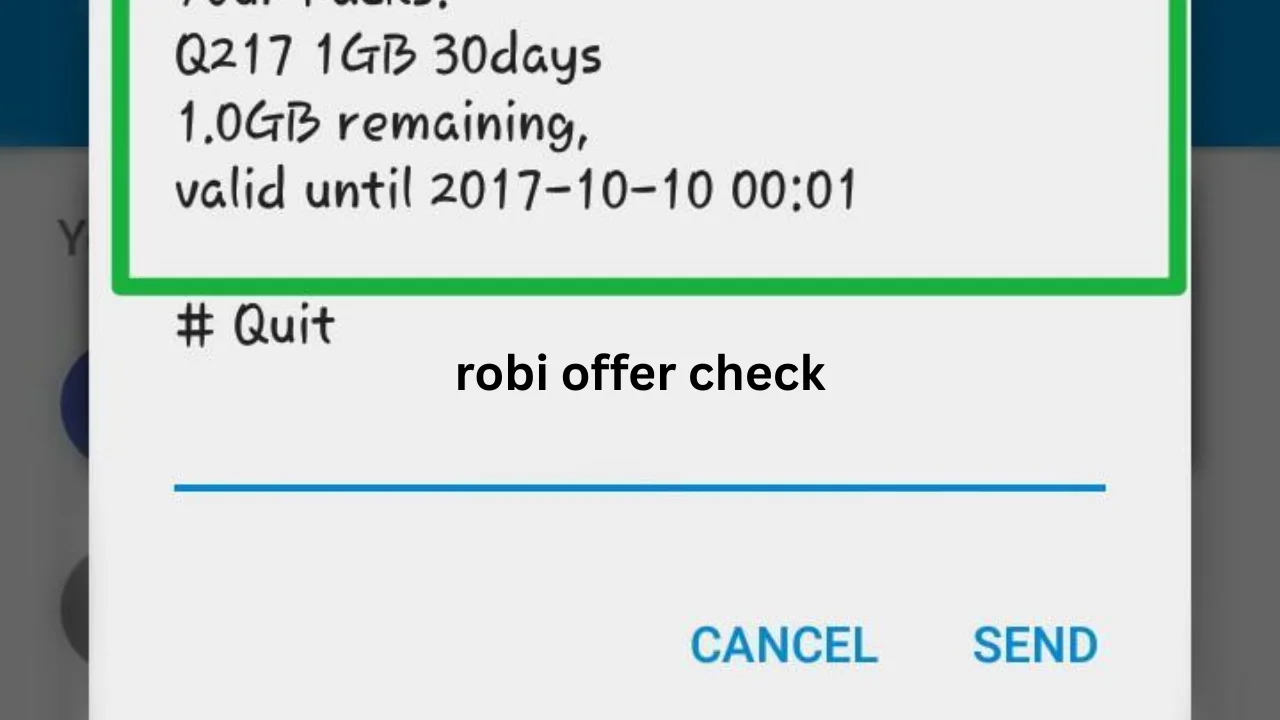
A Robi Offer Check helps customers find internet, minute, SMS, recharge, and combo packages available on their SIM. Robi often gives different deals to different users based on recharge history, SIM age, location, and mobile usage.
Some offers appear for all prepaid users, while others remain limited to selected numbers. Therefore, checking your own Robi number is more useful than depending on a package list found on another website.
Robi customers can check available packages through USSD menus, the My Robi app, the official website, promotional messages, and customer support. The My Robi app is usually the easiest option because it displays offers, balance details, validity, and package conditions in one place.
You May Like: green line bus ticket online
What Is Robi Offer Check?

Robi Offer Check means finding the current mobile packages available for a Robi number. These packages may include mobile data, talk time, SMS, streaming access, social media data, recharge bonuses, or a mix of several services.
Robi may personalize offers according to how a customer uses the SIM. For example, a user who buys data regularly may receive more internet deals, while a customer who makes many calls may see minute packages.
Available deals can also change with time. A package shown today may disappear after a campaign ends, while a new deal may appear after the customer recharges the number.
For this reason, users should always check the package price, validity, data amount, minute amount, and activation conditions before confirming a purchase.
Robi Offer Check Code Through USSD
USSD is a simple way to check Robi offers without installing an app. It works on smartphones as well as basic mobile phones.
Many users check personalized offers by dialing *888# and selecting an option such as “My Offer” or “Get Offer” from the menu. The exact menu may change during special campaigns or system updates.
Customers may also use Robi’s main service menus to look for internet, voice, SMS, recharge, or combo packs. The options displayed on the screen depend on the customer’s account and the current offers.
Follow these steps:
- Open the phone dialer.
- Enter the available Robi offer code.
- Press the call button using the Robi SIM.
- Read the menu options carefully.
- Select “My Offer,” “Special Offer,” or a similar option.
- Check the price and validity.
- Confirm only when the package suits your needs.
USSD menus sometimes take several seconds to appear. If the request fails, check the mobile signal and try again later.
How to Check Offers Using the My Robi App
The My Robi app provides a simple and visual way to manage a Robi number. Customers do not need to remember several short codes because most account features appear inside the app.
According to the official app information, users can view balances and account history, take a balance loan when eligible, create packages through Easy Plan, manage secondary accounts, and buy or share selected packs.
To complete a Robi Offer Check through the app, follow these steps:
- Install or update the My Robi app.
- Open the app on your phone.
- Enter your Robi mobile number.
- Complete the login verification.
- Check the home screen for recommended deals.
- Open the “Offers,” “Packages,” or “Easy Plan” section.
- Select an internet, minute, SMS, or combo package.
- Review the total price and validity.
- Tap the purchase or activation button.
The home screen may show special deals chosen for your number. These offers may not appear on another Robi number, even when both users live in the same area.
Keeping the app updated is also important. Robi campaigns may require the latest version of the app before customers can view or activate eligible packs.
Types of Offers You May Find
Robi provides different categories of mobile packages. Understanding each type helps customers avoid buying the wrong plan.
Internet Packages
Internet packages provide mobile data for browsing, social media, online classes, video calls, gaming, and streaming. They may remain active for one day, three days, seven days, fifteen days, or around one month.
Some data packs allow general internet use. Others may include separate data for apps, streaming platforms, or specific digital services.
Minute Offers
Minute packages help customers reduce call costs. They may include minutes for calls to Robi numbers or minutes for calls to any local mobile network.
Before activation, users should check whether the minutes work on all local networks. They should also confirm the package expiry date.
SMS Packages
SMS packs provide a fixed number of text messages. These packages can help people who still use SMS for family communication, work updates, alerts, or business messages.
Some combo offers include SMS automatically. Therefore, users should compare a separate SMS pack with available combo packages.
Combo Packages
Combo packages include more than one service. A package may contain mobile data, voice minutes, and SMS under one price.
Combo offers often suit users who make calls and use the internet daily. However, a data-only or minute-only plan may offer better value when the customer mainly uses one service.
Recharge Offers
Recharge deals provide benefits after a customer adds a certain amount of balance. A recharge may provide data, minutes, cashback, a lower call rate, or a combination of benefits.
Users should read the terms before recharging. In some cases, the benefit applies only when the exact amount is recharged through an approved channel.
Personalized Offers
Personalized packages are created for selected Robi numbers. They may appear in the My Robi app, USSD menu, SMS, or recharge section.
These deals can depend on past usage, recharge activity, SIM status, and campaign eligibility. As a result, a package seen by one customer may not work on another number.
Robi Easy Plan for Custom Packages
Easy Plan allows users to create a package based on their own needs. Instead of choosing a fixed bundle, customers may select a preferred amount of internet, minutes, SMS, validity, and supported subscriptions.
The official Robi Easy Plan page shows options for choosing internet volume, minutes, SMS, validity, premium data, and selected digital subscriptions.
This feature can benefit users who struggle to find a ready-made package. For example, a person may need more data but only a few calling minutes.
The final price normally changes according to the selected benefits. Users should compare the custom plan with recommended packages before completing the purchase.
Information to Check Before Buying a Robi Offer
A low package price does not always mean the deal provides the best value. Customers should review all conditions before spending their balance.
| Package Detail | Why It Matters |
|---|---|
| Total price | Shows how much balance will be charged |
| Internet volume | Tells how much mobile data is included |
| Voice minutes | Shows the number of calling minutes |
| SMS amount | Tells how many text messages are available |
| Validity period | Shows when the package will expire |
| Network conditions | Explains whether benefits work on all networks |
| App restrictions | Shows whether data works only on selected apps |
| Auto-renewal | Tells whether the package may renew automatically |
| Eligibility | Confirms whether the offer works on your number |
| Activation method | Explains how to buy the package correctly |
Customers should also keep enough main balance for the full package cost. Taxes, charges, or campaign conditions may affect the final amount shown during activation.
How to Check Remaining Data, Minutes, and Balance
Checking an available offer and checking the remaining balance are two different actions. An offer menu shows packages that a user can purchase, while a balance menu shows benefits already active on the SIM.
The My Robi app is the clearest method for checking remaining data, minutes, SMS, main balance, account activity, and package validity. The official app description lists balance and history viewing among its account management features.
Users can open the app home screen and select the active package section. The app may display:
- Remaining internet data
- Used mobile data
- Available voice minutes
- Remaining SMS
- Main account balance
- Package expiry date
- Recent recharge history
- Recent purchase details
USSD balance codes may also work, but codes can change or produce different results for different pack types. When an old code fails, the app or official support channel provides a safer option.
Why the Same Offer Does Not Appear on Every SIM
Robi may divide customers into different offer groups. The company can use account activity to decide which promotions appear for each number.
A new customer may receive welcome packages. A long-term customer may get loyalty offers, while an inactive SIM may receive a recharge-back campaign.
Differences can also appear because of:
- Prepaid or postpaid account type
- SIM age
- Recent recharge amount
- Calling pattern
- Internet usage
- Location
- Device type
- Campaign rules
- Previous package purchases
- Customer eligibility
Therefore, customers should not assume that a code shared by a friend will activate the same package on their number.
Robi Offer Check for Prepaid Customers
Prepaid users add balance before using mobile services. Most internet, minute, SMS, recharge, and combo offers target prepaid customers.
Robi’s official prepaid information describes voice and package services for prepaid users. However, actual deals can vary by customer and campaign.
Prepaid customers should check offers before every major recharge. Sometimes a specific recharge amount provides a better deal than buying a package directly from the main balance.
They should also verify whether a recharge offer activates automatically. Recharging first without reading the condition may cause the user to receive only regular balance instead of the expected package.
Robi Offer Check for Postpaid Customers
Postpaid customers receive services under billing plans rather than relying only on prepaid balance. Their offers, billing cycles, and usage conditions may differ from prepaid packages.
Robi provides separate postpaid services and plans. Therefore, postpaid users should check the account section of the app or official postpaid service area instead of activating random prepaid codes.
Postpaid users should review billing limits, monthly benefits, extra usage charges, and payment dates. They should also check whether an add-on package renews automatically in the next billing cycle.
Common Problems During Robi Offer Check
Sometimes customers cannot view or activate an offer. The problem may come from the network, account status, package rules, or insufficient balance.
USSD Code Does Not Work
A USSD request may fail because of a weak mobile signal, temporary network load, an outdated code, or a phone setting.
Move to an area with better signal and try again. Restarting the phone may also solve a temporary connection issue.
Offer Is Not Available
An offer may be limited to selected users. Even when a package appears online, the Robi system may reject activation if the number is not eligible.
Use the My Robi app to see deals officially assigned to your number.
Balance Is Too Low
A customer may have less balance than the total package price. Add enough balance and try the activation again.
Avoid recharging a random amount when the package requires a special recharge value.
Package Does Not Appear in the App
Update the app, refresh the account, and check the internet connection. Logging out and signing in again may also refresh available packages.
Payment Completed but Package Is Missing
Wait for the confirmation message and check the transaction history. Do not activate the same package several times because repeated attempts may cause more than one charge.
Contact Robi support when the balance is deducted but the package does not appear after a reasonable period.
Safety Tips When Checking Robi Offers
Customers should use trusted methods when purchasing mobile packages. Fake websites, misleading social posts, and unofficial apps may display expired codes or false free-data claims.
Never share a login verification code, account password, mobile wallet PIN, or personal security information with another person.
Install the My Robi app only from a trusted app store. Also, read the package confirmation screen before tapping the final purchase button.
Be careful with offers that promise a large amount of free data in return for installing unknown software or sharing personal information.
Best Method for Finding the Right Package
The My Robi app is the best option for most smartphone users because it displays account-specific offers and package details. It also reduces the need to remember several service codes.
USSD remains helpful for basic phones, slow internet connections, or urgent checks. However, users should read each menu option because USSD categories can change.
Customers who cannot access the app or USSD menu can use Robi’s official customer support. Support agents may help explain eligibility, current services, balance deductions, and package problems.
How to Choose the Best Robi Offer
Start by checking your normal mobile usage. A package becomes valuable only when you can use most of its benefits before it expires.
Choose a data package when you mainly use social media, video platforms, websites, and messaging apps. Select a minute package when most of your mobile spending goes toward calls.
A combo plan may suit daily users who need both internet and voice minutes. Meanwhile, Easy Plan may help customers create a more personal package.
Always compare the following points:
| User Type | Suitable Package |
|---|---|
| Light internet user | Small data pack with longer validity |
| Heavy internet user | Large data pack or monthly bundle |
| Frequent caller | All-network minute package |
| Mixed user | Internet and minute combo |
| Short-term user | Daily or weekly package |
| Regular monthly user | 28-day or 30-day plan |
| Social media user | General data or app-based package |
| Custom user | Easy Plan package |
Do not buy a large package only because it offers a low cost per unit. The package can still waste money if it expires before you use it.
Frequently Asked Questions
What is the main Robi offer check code?
Many users dial *888# and select the relevant “My Offer” option. However, menu options and active codes may change, so customers should confirm the displayed details before activation.
Can I check Robi offers without internet?
Yes. You can use a supported USSD service menu from your Robi number. This method does not normally require mobile data.
Why does my friend receive a different Robi offer?
Robi can provide personalized offers based on usage, recharge history, account type, SIM activity, and campaign eligibility.
Is the My Robi app free to install?
The app can be installed from supported app stores. Normal internet or data conditions may apply while downloading and using online features.
Can an expired Robi offer code still work?
Usually, an expired campaign code will fail or show that the package is unavailable. Always check current offers through the app or active service menu.
How can I check the validity of my active package?
Open the My Robi app and view the active balance or package section. It normally shows the remaining benefits and expiry information.
Are all Robi offers available to prepaid users?
No. Some packages are available to most prepaid users, while other offers remain limited to selected numbers or special campaigns.
Should I recharge before checking an offer?
Check the package details first. Some offers require direct activation from balance, while others require an exact recharge amount.
Final Thoughts
Checking available packages before recharging or activating a plan can help users save balance and choose the right service. Customers should compare the price, internet volume, minutes, SMS, validity, and eligibility instead of buying the first deal they see.
The My Robi app offers the easiest way to view personalized packages and account details, while USSD menus remain useful for basic phones and offline access. Because mobile deals may change without notice, customers should complete a fresh Robi Offer Check whenever they need a new internet, minute, SMS, recharge, or combo package.