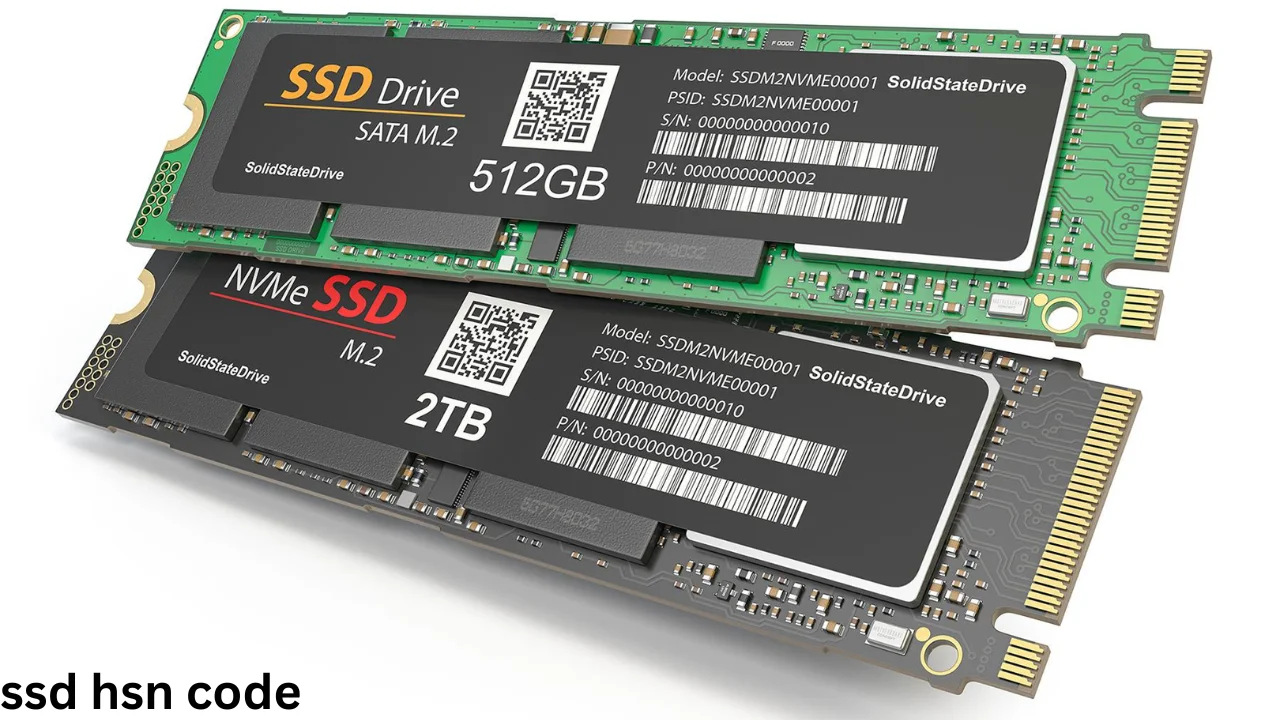
The Ssd Hsn Code helps businesses classify solid-state drives for GST billing, taxation, imports, and exports in India. Sellers, computer shops, importers, and online stores must select the correct code while preparing a tax invoice.
An SSD is a storage device that saves data on flash memory chips. Unlike a traditional hard disk drive, it does not use moving parts to read or write data.
The classification may depend on the product’s design, function, and method of sale. Therefore, a business should check the exact product description before entering an HSN number on an invoice.
You May Like: robi internet offer check
What Is an SSD?
SSD stands for solid-state drive. It is a modern storage device used in laptops, desktop computers, gaming systems, servers, and other electronic devices.
An SSD stores operating systems, software, games, videos, documents, and other digital files. It normally provides faster performance than a traditional hard disk drive.
Most SSDs use NAND flash memory. This type of memory can keep stored information even when the device has no electrical power.
SSDs come in several forms, including:
- SATA SSD
- M.2 SATA SSD
- M.2 NVMe SSD
- PCIe SSD
- Portable external SSD
- Enterprise server SSD
Although these products use different connectors and interfaces, they perform the same basic job. They store digital data without using a spinning magnetic disk.
What Is an HSN Code?
HSN stands for Harmonized System of Nomenclature. It is an international system used to name and classify goods in an organised way.
The World Customs Organization developed this system. Many countries use it for customs, trade records, taxation, imports, and exports.
India uses HSN codes under the Goods and Services Tax system. These codes help tax authorities and businesses identify goods under the correct tax category.
An HSN structure may contain two, four, six, or eight digits. Each additional pair of digits provides a more detailed product classification.
| Code Level | Meaning |
|---|---|
| First two digits | Product chapter |
| First four digits | Product heading |
| First six digits | International subheading |
| Eight digits | Detailed Indian tariff classification |
Correct classification supports accurate invoices, GST returns, input tax credit, customs documents, and business records.
What Is the Main Ssd Hsn Code?
The commonly used code for a solid-state non-volatile storage device is HSN 85235100. It falls under heading 8523, which covers storage media and solid-state non-volatile storage devices.
The description of 85235100 directly refers to solid-state non-volatile storage devices. For this reason, it may apply to many flash-based storage products that meet this description.
However, some businesses and trade records classify certain computer storage units under heading 8471. Product design, use, presentation, and customs interpretation can affect the final classification.
A seller should not select a code only because another store uses it. The seller must match the code with the exact legal description of the product.
SSD HSN Code and GST Rate
SSDs generally attract 18% GST in India. For an intra-state sale, the seller usually charges CGST and SGST in equal parts.
For an inter-state sale, the seller normally charges IGST. The total GST remains 18% in a standard taxable transaction.
| Type of Sale | Tax Treatment | Total GST |
| Sale within the same state | 9% CGST + 9% SGST | 18% |
| Sale between two states | 18% IGST | 18% |
| Business import | IGST and applicable customs duties | Based on import rules |
| Export under LUT | Zero-rated supply | Subject to GST conditions |
GST rates and customs rules can change through official notifications. Businesses should verify the current rate on the GST portal before completing a major transaction.
Difference Between HSN 85235100 and 84717020
Two codes often appear during online research for computer storage products: 85235100 and 84717020. However, they do not carry the same product description.
HSN 85235100 specifically covers solid-state non-volatile storage devices. This wording can closely match flash-based SSD products.
HSN 84717020 refers to storage units described as hard disk drives under the Indian tariff structure. It commonly appears for HDD products and may also appear in some historical SSD trade records.
| HSN Code | General Description | Possible Product Use |
| 85235100 | Solid-state non-volatile storage devices | Flash storage and qualifying SSD products |
| 84717020 | Storage units: hard disk drives | Traditional internal or external HDD products |
| 8471 | Automatic data-processing machines and their units | Certain computer units based on product design |
| 8473 | Parts and accessories of computer equipment | Enclosures, adapters, or qualifying computer parts |
Businesses should avoid treating an SSD and an HDD as the same product. An SSD uses flash memory, while an HDD stores data on rotating magnetic platters.
Ssd Hsn Code for Internal Drives
An internal SSD connects directly to a computer’s motherboard or storage interface. Common examples include 2.5-inch SATA drives, M.2 SATA modules, and M.2 NVMe drives.
The connector type does not always create a separate HSN classification. Instead, authorities may focus on the product’s main function and technical description.
A basic internal SSD includes flash memory, a controller, firmware, a printed circuit board, and a connection interface. It acts as a non-volatile data storage device.
For GST billing, many businesses apply the classification used for solid-state storage devices. Still, importers should review detailed customs rules for each model.
HSN Code for External and Portable SSDs
A portable SSD includes flash storage inside a protective case. It normally connects through USB, USB-C, or Thunderbolt.
Its external design does not change its basic role as a data storage device. However, a complete retail product may include cables, security software, or other features.
Businesses must classify the main product based on its essential character. A simple carrying case or cable does not normally become the main item in a packaged SSD sale.
Portable SSDs generally attract the same 18% GST rate applied to many internal SSD products. The final HSN code should match the device’s technical and commercial description.
HSN Code for NVMe and SATA SSDs
SATA and NVMe describe connection standards and communication methods. They do not describe two completely different types of taxable goods.
A SATA SSD uses the SATA interface. It often comes as a 2.5-inch drive or an M.2 module.
An NVMe SSD normally uses PCIe technology. It can transfer data faster because it communicates more directly with the computer system.
Both products use non-volatile flash memory for data storage. Therefore, their interface alone may not require separate HSN codes.
| SSD Type | Common Interface | Main Use |
| 2.5-inch SSD | SATA | Laptop and desktop storage |
| M.2 SATA SSD | SATA | Thin laptop and desktop storage |
| M.2 NVMe SSD | PCIe/NVMe | High-speed computer storage |
| Portable SSD | USB or Thunderbolt | External data storage |
| Enterprise SSD | SATA, SAS, or NVMe | Servers and data centres |
The invoice description should clearly identify the product. For example, a seller can write “1 TB M.2 NVMe solid-state drive” instead of using only “computer part.”
How to Show SSD Details on a GST Invoice
A GST invoice should provide enough information to identify the goods. Clear descriptions can reduce confusion during accounting, return filing, and tax checks.
A seller can include the following details:
- Product name
- Brand and model
- Storage capacity
- SSD type
- HSN code
- Quantity
- Taxable value
- GST rate
- CGST and SGST or IGST
- Total invoice value
Here is a simple example:
| Invoice Field | Example |
| Product description | 1 TB M.2 NVMe Solid-State Drive |
| Quantity | 1 |
| HSN code | 85235100, subject to product verification |
| Taxable value | ₹5,000 |
| GST rate | 18% |
| GST amount | ₹900 |
| Invoice total | ₹5,900 |
The business should not copy this example without checking its own product. The correct code depends on the legal classification and actual specifications.
Example of GST Calculation on an SSD
Suppose a computer shop sells an SSD for ₹5,000 before GST. The applicable GST rate is 18%.
The GST calculation will be:
₹5,000 × 18% = ₹900
If the seller and buyer are in the same state, the invoice may show:
| Tax Component | Rate | Amount |
| CGST | 9% | ₹450 |
| SGST | 9% | ₹450 |
| Total GST | 18% | ₹900 |
| Final price | — | ₹5,900 |
For an inter-state sale, the business may charge ₹900 as IGST instead of dividing it into CGST and SGST.
Input Tax Credit on SSD Purchases
A GST-registered business may claim input tax credit on an SSD purchased for business use. The buyer must meet all conditions under GST law.
The seller should issue a valid GST invoice. The buyer should also receive the goods and maintain proper purchase records.
The invoice details must appear correctly in the GST system. The buyer should pay the supplier and complete other required steps within the allowed period.
A business may use an SSD in office computers, servers, video-editing systems, security systems, or data centres. A valid business purpose can support the input tax credit claim.
Personal purchases may not qualify for business input tax credit. Mixed personal and business use can also require special treatment.
Importance of Choosing the Correct Code
The correct classification improves the quality of tax records. It also allows businesses to apply the proper rate and report sales correctly.
A wrong code may create differences between invoices, GST returns, purchase records, and customs documents. These differences can cause questions during an audit.
Incorrect classification may also affect:
- Input tax credit
- Customs duty
- Import clearance
- Export documentation
- E-invoicing
- E-way bills
- Product reporting
- Tax assessments
A small spelling error may be easy to fix. However, a code that places the product under the wrong heading can create a more serious compliance problem.
Common SSD Classification Mistakes
One common mistake involves using the hard disk drive code for every type of storage device. An SSD does not use the same storage technology as an HDD.
Another mistake involves treating every computer accessory as an SSD. An SSD enclosure, adapter, cable, docking station, and storage drive are separate products.
Businesses also make errors when they copy a supplier’s HSN code without checking the invoice description. A supplier can enter an incorrect code, so copying it does not guarantee compliance.
Some sellers enter only four digits when their reporting rules require a longer code. Businesses should determine how many digits they need based on GST and invoice requirements.
The safest method involves reviewing the technical data sheet, product function, tariff description, and latest government guidance.
SSD Versus HDD Classification
An SSD and an HDD perform a similar job, but they use different technologies. This difference matters when selecting a detailed product classification.
| Feature | SSD | HDD |
| Storage technology | NAND flash memory | Magnetic disk |
| Moving parts | No | Yes |
| Speed | Usually faster | Usually slower |
| Noise | Silent | May create sound |
| Resistance to shock | Generally higher | Generally lower |
| Common detailed code | 85235100 may apply | 84717020 commonly applies |
| Typical GST rate | 18% | 18% |
Both products may attract the same GST percentage, but the matching HSN description can still differ. The tax rate alone does not decide the correct code.
How to Verify the Correct HSN Code
Businesses can search for a product or HSN number through the official GST portal’s HSN search facility. The portal allows taxpayers to check codes and tax-rate information.
Before choosing a code, collect the following information:
- The manufacturer’s product description
- The storage technology used by the product
- Whether it is a drive, card, enclosure, or accessory
- Its main commercial function
- Its connection and operating method
- The current GST and customs tariff descriptions
Large importers should seek advice from a customs professional. They may also request an advance ruling when classification creates a major tax risk.
Does Storage Capacity Change the HSN Code?
Storage capacity normally does not change the basic classification of an SSD. A 256 GB, 512 GB, 1 TB, or 2 TB SSD still performs the same main function.
Capacity affects the product’s price, market value, and model description. It does not usually create a new HSN heading by itself.
The same general rule can apply to different brands. Brand names do not normally decide the code because HSN classification focuses on the product.
However, special features can affect classification. A device that combines storage with networking, media streaming, or another major function may require closer review.
Frequently Asked Questions
What is the HSN code for an SSD?
HSN 85235100 commonly describes solid-state non-volatile storage devices. However, sellers and importers should verify the exact classification based on the product’s design and official tariff description.
What is the GST rate on an SSD?
SSDs generally attract 18% GST in India. An intra-state sale may include 9% CGST and 9% SGST, while an inter-state sale may include 18% IGST.
Is the HSN code the same for SATA and NVMe SSDs?
SATA and NVMe describe different interfaces. Both products store data on non-volatile flash memory, so the interface alone may not change the main classification.
Can I use the HDD HSN code for an SSD?
Businesses should not automatically use an HDD code for an SSD. HSN 84717020 describes hard disk drives, while HSN 85235100 specifically describes solid-state non-volatile storage devices.
Is the HSN code different for a 1 TB SSD?
Storage capacity normally does not change the main HSN classification. A 1 TB SSD may use the same code as a lower-capacity SSD with the same function and technology.
Do external SSDs attract GST?
Yes. External and portable SSDs generally attract GST. The commonly reported rate is 18%, subject to the current official schedule and product classification.
Can a business claim input tax credit on an SSD?
A registered business may claim input tax credit when it uses the SSD for business purposes and meets all GST conditions. It should keep a valid tax invoice and proper purchase records.
Final Thoughts
Choosing the right Ssd Hsn Code supports accurate GST billing, tax reporting, input tax credit, and customs compliance. HSN 85235100 commonly covers solid-state non-volatile storage devices, while 18% is the generally applied GST rate for SSD products.
However, classification should always follow the product’s exact description, technical function, and current government schedule. Sellers, buyers, and importers should verify the code through the GST portal or consult a qualified tax professional before using it in important transactions.
People Also Read: airtel internet offer