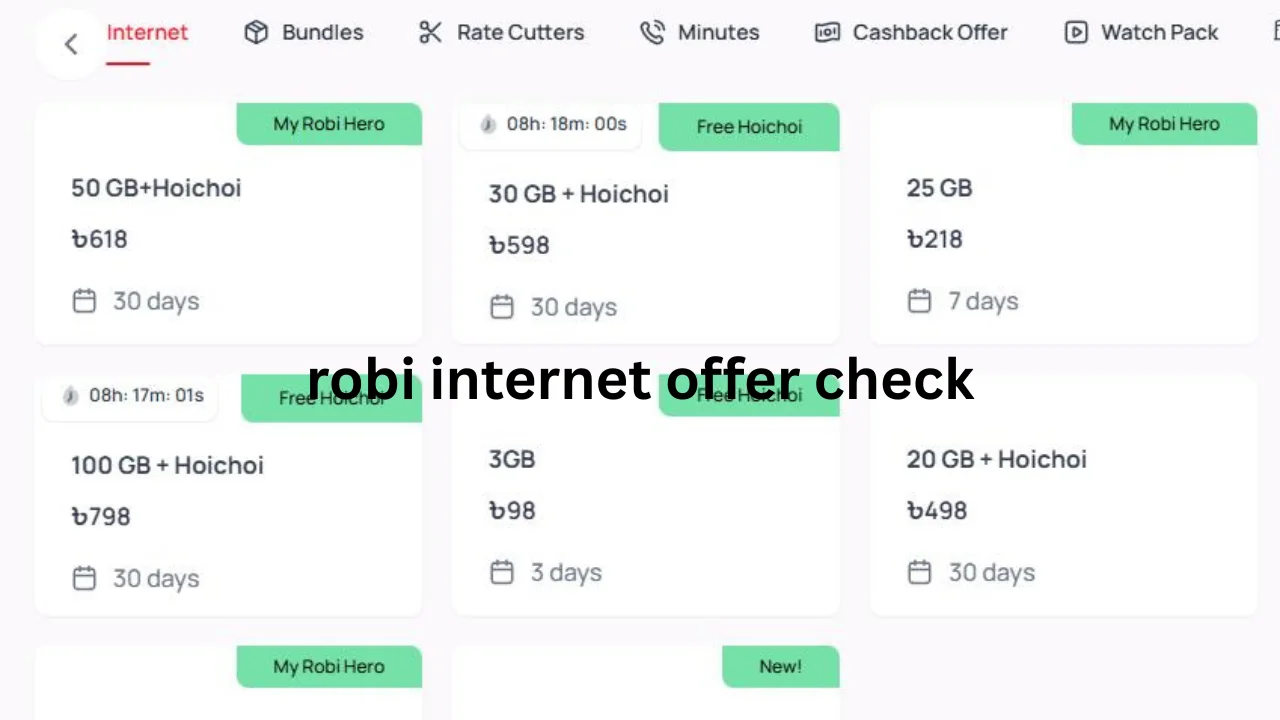
A robi internet offer check helps you find the latest data packages available for your Robi SIM. Robi may provide daily, weekly, monthly, recharge-based, and special internet offers. However, every user may not receive the same package because some deals depend on SIM usage, recharge history, location, and account type.
Robi users can check available internet plans through the My Robi app, USSD menus, the official website, promotional messages, and customer support. Checking the offer before buying it helps you understand its price, data amount, validity, and usage rules.
You May Like: robi sms pack code
What Is a Robi Internet Offer?
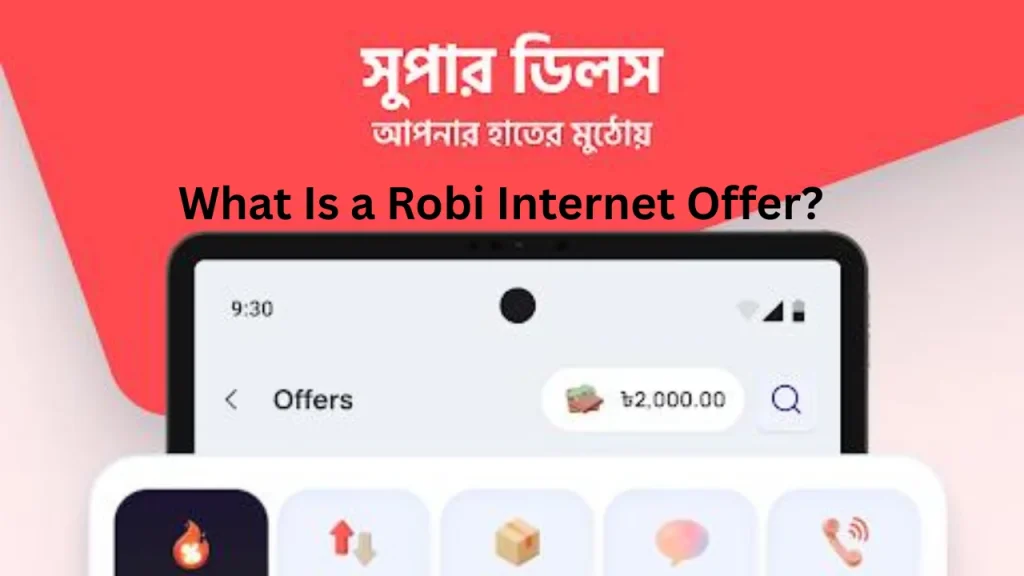
A Robi internet offer is a mobile data package provided to prepaid or postpaid customers. It may contain a fixed amount of data that remains active for a set number of hours or days.
Some packages only include regular internet data. Other bundles may include internet, talk-time minutes, SMS, entertainment access, or app-based data.
Robi also provides personalized offers to selected numbers. As a result, an offer available on one SIM may not appear on another Robi number.
Why Should You Check Robi Internet Offers?
Internet package prices and benefits can change over time. A package that was available last month may have a different price, data limit, or validity today.
Checking the latest deal helps you avoid buying an unsuitable package. It also allows you to compare several plans before spending your balance.
You should check the following details:
- Total internet volume
- Package price
- Offer validity
- Activation method
- Auto-renewal status
- Data usage rules
- SIM eligibility
- Remaining account balance
A careful check can help you get more data for your budget. It can also prevent balance deductions caused by using mobile data without an active package.
Robi Internet Offer Check Through the My Robi App
The My Robi app is one of the easiest ways to view available packages. It shows account information and SIM-specific deals on a clear screen.
First, install the My Robi app on your Android phone or iPhone. Open it and enter your Robi mobile number. You may need to confirm your number with a one-time password.
After signing in, visit the offers, internet, packs, or recommended section. The exact menu name may change when the app receives an update.
The app may show:
- Recommended offers for your number
- Daily and weekly data packs
- Monthly internet packages
- Internet and minute bundles
- Recharge-based deals
- Remaining internet balance
- Package expiry date
- Purchase history
Always read the full package details before pressing the purchase button. Check whether the listed price includes all applicable taxes and charges.
Robi Internet Offer Check Using a USSD Menu
USSD codes allow users to check offers without installing an application. This method is useful for feature phones and users who do not have an active internet connection.
Many users open Robi’s service menu by dialing *123# or *121#. After dialing, follow the menu options for internet, packs, special deals, or current offers.
A commonly reported menu for browsing internet bundles is *123*3#. However, USSD menus and codes may change or work differently on different numbers.
Follow these steps:
- Open the phone dialer.
- Enter the available Robi menu code.
- Press the call button.
- Choose the internet or data option.
- Review the displayed packages.
- Select a plan only after checking its price and validity.
Do not confirm a package too quickly. Some menus may activate the plan after you reply with a number or press the confirmation option.
How to Check Personalized Robi Internet Offers
Personalized offers are special deals selected for a specific Robi number. They may provide extra data, lower prices, or combined internet and minute benefits.
The best place to view these deals is usually the My Robi app. Open the app and check the recommended, special, exclusive, or just-for-you section.
You may also receive personalized packages through:
- Promotional SMS messages
- Recharge notifications
- USSD pop-up menus
- My Robi app notifications
- Customer service campaigns
Do not assume that another person’s offer will work on your number. Check your own account before recharging or dialing an activation code.
Robi Internet Offer Check From the Official Website
Robi’s official website displays internet plans, bundle offers, prepaid services, postpaid options, Easy Plan choices, and recharge recommendations.
You may visit the internet or offers section and review the available packages. Some plans may require you to enter your Robi number or sign in before showing personalized details.
The official website can help you compare:
| Package Feature | Information to Check |
|---|---|
| Data volume | Total MB or GB included |
| Price | Cost of the package |
| Validity | Number of hours or days |
| Package type | Internet-only or bundle |
| Eligibility | Prepaid, postpaid, or selected SIM |
| Purchase method | App, recharge, website, or code |
| Renewal | One-time or auto-renewing |
Website information may show general packages. The My Robi app may provide more accurate recommendations for your individual SIM.
Daily Robi Internet Packages
Daily data packs work well for users who need internet for a limited time. These offers may remain active for several hours or until the end of the day.
A daily package may suit light browsing, messaging, map use, or short social media sessions. However, it may not provide enough data for large downloads or long video streaming.
Before buying a daily pack, check the exact expiry time. A one-day package does not always remain active for a full 24 hours. Some packages expire at a fixed time.
Weekly Robi Data Offers
Weekly packages usually remain active for seven days. They can suit students, travelers, and users who need temporary internet access.
A weekly offer may provide better value than buying several small daily plans. Still, you should compare the total data volume and price before making a choice.
Choose a weekly plan when you need internet for:
- Online classes
- Social media use
- Regular browsing
- Email and messaging
- Short trips
- Light video streaming
Check whether any part of the data is limited to certain apps or times. A package may show a large total amount but include separate streaming or bonus data.
Monthly Robi Internet Offers
Monthly internet packages usually provide longer validity and a larger data allowance. These plans are suitable for regular smartphone users.
A 28-day package and a 30-day package are not the same. Always check the exact number of days because it affects when you need to renew the plan.
Monthly packages may include:
| User Type | Suitable Package Feature |
| Light user | Small data volume with long validity |
| Social media user | Medium data allowance |
| Student | Data with online learning support |
| Video viewer | Large data or streaming allowance |
| Remote worker | High-volume package with stable validity |
| Frequent caller | Internet and minute bundle |
Do not choose a large plan only because it offers more data. Select a package based on your normal monthly use and budget.
Recharge-Based Robi Internet Offers
Some Robi packages become active when you recharge a specific amount. The recharge amount may provide data, minutes, SMS, or a combined bundle.
Before making a recharge, confirm that the offer appears on your own number. A recharge campaign shown to another user may not apply to your SIM.
Follow these safety steps:
- Open the My Robi app.
- Select the recharge or recommended offer.
- Read the package benefits.
- Confirm the required recharge amount.
- Check the validity and eligibility.
- Recharge the exact amount through a trusted channel.
- Wait for the activation message.
A normal balance recharge and an offer recharge may work differently. Therefore, always use the method stated in the offer details.
How to Check Remaining Robi Internet Balance
Checking available offers and checking the remaining internet balance are different tasks. An offer check shows packages you can purchase, while a balance check shows the data already available in your account.
The My Robi app usually displays the remaining internet amount on its home screen. It may also show the expiry date and active package details.
Some users also use Robi’s USSD service menu to view data balance. Since codes can change, open the main menu and choose the internet balance or usage option.
You can also review the confirmation SMS received after activating a package. This message often explains the data amount, expiry date, and balance-checking method.
Difference Between a General and SIM-Specific Offer
General offers may be available to many Robi customers. SIM-specific packages only appear for selected numbers.
Robi may select personalized offers based on factors such as:
- Previous recharge amounts
- Internet usage history
- SIM activity
- Customer type
- Promotional eligibility
- Account status
- Network campaign
A package shown on a blog, video, or social media post may have expired. It may also be limited to certain users. The My Robi app and official service menus provide safer information.
How to Choose the Best Robi Internet Package
The best package depends on how you use your phone. Start by checking your recent data consumption in the My Robi app or phone settings.
Light users may only need data for WhatsApp, email, and basic browsing. Heavy users may require more data for YouTube, video calls, online classes, gaming, or file downloads.
Consider these points before purchasing:
| Question | Why It Matters |
| How much data do I use? | Prevents buying too much or too little |
| How long do I need it? | Helps select daily, weekly, or monthly validity |
| Which apps do I use? | Some packs may have app-based limits |
| Is auto-renewal active? | Prevents unexpected renewal charges |
| Does the price include tax? | Shows the complete expected cost |
| Is the offer available on my SIM? | Prevents failed purchases or wrong recharges |
A smaller suitable package can offer better value than a large plan that expires before you use it.
Common Problems During Robi Internet Offer Check
Sometimes a code may not respond or the My Robi app may fail to load. This can happen because of network issues, app updates, server maintenance, or account restrictions.
If a USSD menu does not work, turn airplane mode on and off. You can also restart your phone and try again after a few minutes.
If the app does not display offers, update it to the latest version. Make sure your phone has an active connection and that you entered the correct Robi number.
Other common problems include:
- The offer has expired.
- The package is not available for your SIM.
- Your balance is too low.
- The recharge amount is incorrect.
- The app is using old cached information.
- The USSD request has timed out.
- The confirmation message is delayed.
Do not repeat the purchase many times if you do not receive a confirmation. First, check your balance and active packages to prevent duplicate activation.
What to Do When an Offer Code Does Not Work
An activation code found online may be old, incorrect, or limited to selected customers. Do not keep dialing it if the system shows an error.
Open the My Robi app and search for the same package. If it does not appear, the plan may no longer be active for your number.
You can also open Robi’s main USSD menu and check the current list of internet plans. For further help, call Robi customer support at 121 from a Robi number.
Explain the package name, price, activation method, and error message. Customer service can confirm whether your SIM qualifies for that offer.
Tips to Avoid Unwanted Mobile Data Charges
Your main balance may decrease when you use mobile internet without an active package. Always confirm package activation before turning on mobile data.
Wait for an SMS that clearly states the plan has become active. Then check the data balance and expiry date.
You can also follow these tips:
- Turn off mobile data when you do not need it.
- Disable automatic app updates on mobile data.
- Use Wi-Fi for large downloads.
- Set a mobile data warning on your phone.
- Check the active package before streaming videos.
- Stop background data for unnecessary apps.
- Review auto-renewal settings.
These simple actions can protect your balance and help your package last longer.
How to Make Robi Internet Data Last Longer
Video apps and social media platforms may use large amounts of data. Lowering video quality can greatly reduce your daily usage.
Turn on data saver mode in your phone settings. You can also use data-saving options inside YouTube, Facebook, Instagram, and other apps.
Download music, maps, or lessons while connected to Wi-Fi. Close unused apps and stop automatic cloud backups over mobile data.
Check your usage every few days. This habit helps you understand which applications consume the most data.
Is the My Robi App Better Than USSD Codes?
The My Robi app provides more details and a more visual experience. It can show package prices, validity, data balance, recharge options, usage history, and personalized offers.
USSD codes are faster when you have no internet connection or use a basic phone. However, the menu may provide less information than the app.
| Method | Main Benefit | Possible Limitation |
| My Robi app | Detailed and personalized offers | Requires a smartphone and connection |
| USSD menu | Works without mobile internet | Codes and menu options may change |
| Official website | Useful for comparing plans | May not show every SIM-specific deal |
| Promotional SMS | Shows selected campaigns | The offer may expire quickly |
| Customer support | Provides direct assistance | You may need to wait for an agent |
For most smartphone users, the My Robi app is the easiest option. USSD remains a helpful backup method.
Frequently Asked Questions
What is the code for checking Robi internet offers?
Users commonly access Robi’s main service menus through *123# or *121#. Menu options and direct codes may change, so follow the current instructions shown on your screen.
How can I check special offers on my Robi SIM?
Open the My Robi app and check the recommended, special, or exclusive offer section. You can also review promotional messages and the main USSD menu.
Can every Robi user activate the same internet package?
No. Some packages are general, while others are personalized. Always confirm that the offer appears for your own number before making a recharge.
How can I check my remaining Robi data?
The My Robi app usually shows the remaining data and expiry date. You may also use the internet balance option in Robi’s USSD service menu.
Why is my Robi internet offer not working?
The offer may have expired, your SIM may not qualify, or your balance may be insufficient. Network errors and outdated activation codes can also cause problems.
Final Thoughts
Checking an offer before purchasing helps you compare the data amount, cost, validity, and package rules. It also protects you from using expired codes or recharging an amount that does not activate the expected bundle.
The My Robi app is usually the most convenient option because it shows current and personalized deals. USSD menus, the official website, promotional messages, and customer support can also help when the app is unavailable.
For the most reliable robi internet offer check, review the package directly on your own Robi number. Confirm the final price, data amount, expiry date, and activation message before you start using mobile internet.
People Also Read: ena bus ticket